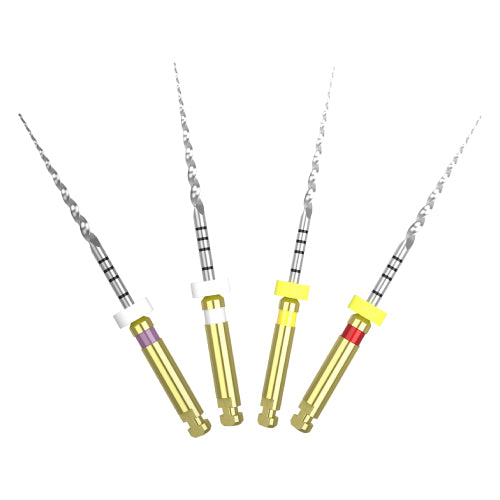
Dia-PT file - nickel titanium rotary files
Dia-PT File ensures rapid and high-quality canal shaping with cutting efficiency.
Superior Cutting Efficiency:
• Stronger and sharper blades can move deeper into the canal
• Triangular cross-section reduces contact with the canal wall
• Designed to instrument calcified or severely curved canals
High Flexibility:
• Progressive taper design increases flexibility and efficiency
• High corrosion resistance with coated surface
• Premium nickel titanium construction
• Packaging: 4 pcs/box
Access open
- Check the working length with X-ray.
- Prepare the straight-line access to the canal orifice by Gate Drills.
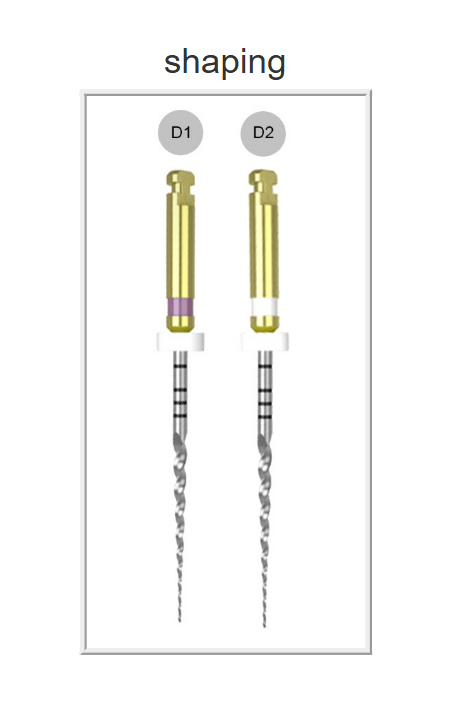
- The D1 expands the glide path and enlarges to widen the coronal portion of the canal. Always irrigate the canal with NaOCl before engaging the file. Gently work D1 until a smooth glide path is confirmed.
- The D1 into the canal and follow the glide path and laterally brush before light resistance is appeared. And cut dentin on the outstroke to improve straight-line access and apical progression.
- Continue shaping and brushing with the D1 until the depth of the #15 hand file is reached.
- Check the working length with the #15 hand file and Apex locator.
- The D2 enlarges to the apical 2/3.
- Use D1 or D2 until working length is reached with a brushing action.
- Confirm working length frequently as shaping the severely curved canals.
- Use D3 as an In-and-out Pecking Motion until the depth of the #20 hand file is reached.
- If the #20 hand file is loose at length, proceed to the D4 with the #25 hand file.
- Check the working length with X-ray.
|